
WebGlazer
VerifiedSummary
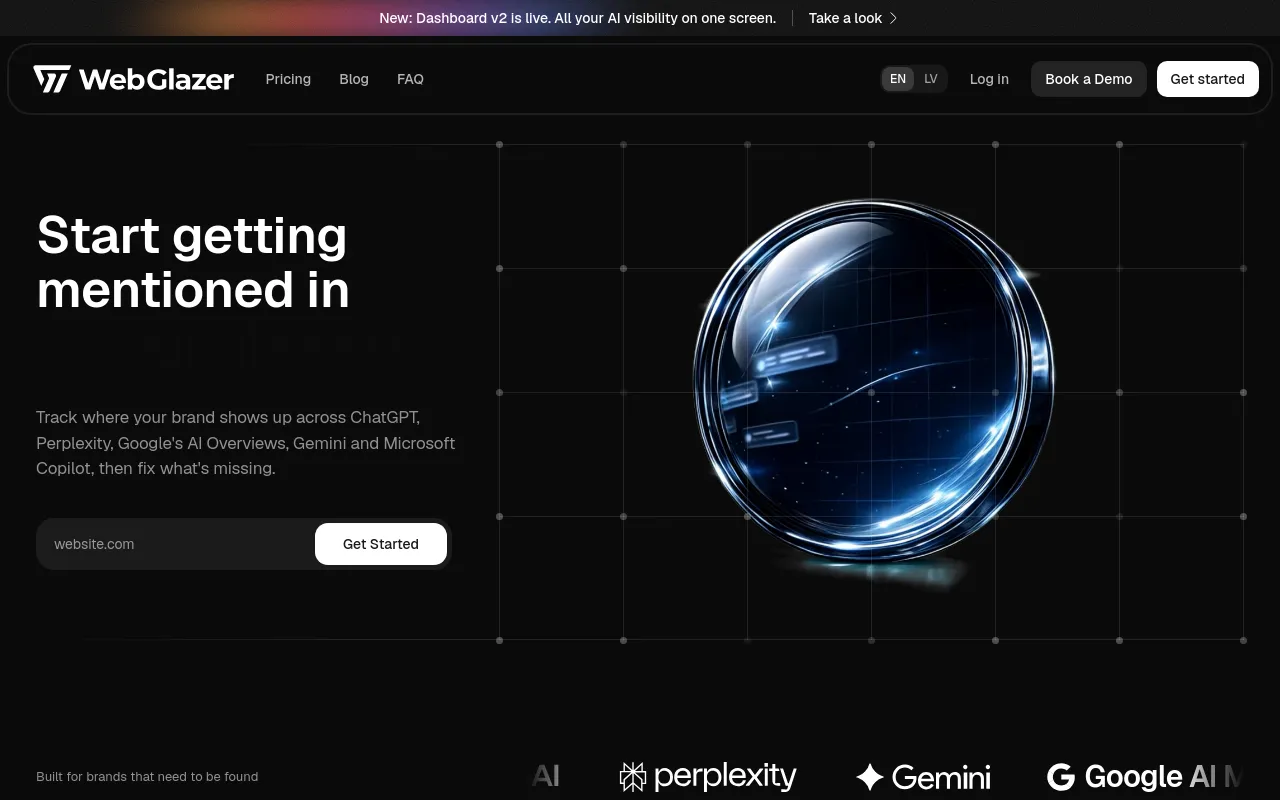
WebGlazer is an AI brand visibility platform that re-runs a fixed set of buyer questions daily across five answer engines and records whether each names your brand or a rival. It also sells white-label agency plans with pitch projects for prospects.
- Best for
- Marketing teams tracking brand mentions across 5 AI engines in one dashboard
- Not for
- Teams needing a public, documented API or MCP from day one: WebGlazer withholds both on Basic and Standard and lists them as only "coming soon" on Advanced, so anyone building automated pipelines around visibility data hits a wall until Enterprise.
- From
- €59/month€59 monthly · €59 billed annually
- Free trial
- PartlyA 7-day free trial is offered on the Basic plan card ("Start 7-day free trial"); all four published brand tiers are paid or custom-quoted and no standing €0 plan exists. The vendor does not state whether a card is needed.
What it does
- Monitors AI answers
- YesCore product: the same prompt set is re-run daily against five answer engines and each answer is recorded per engine.
WebGlazer is an AI brand visibility platform that monitors whether ChatGPT, Perplexity, Gemini, Google AI Mode, and Copilot name you or a competitor,…
webglazer.com - Optimises your content
- PartlyPrioritised fixes are advertised as a shipped feature, but the FAQ lists 'a ranked list of what to fix' under what is coming next; no on-page audit of your existing pages is described.
Monitor your brand across AI search, track your visibility over time, see what drives AI recommendations, and get prioritized fixes to improve where…
webglazer.com - Generates content
- NoThe only content-producing capability, Agent Queue, carries a "Coming soon" badge on the homepage, so nothing is drafted for buyers today.
The AI agent does the work and waits for you to approve it.
webglazer.com - Publishes to your site
- NoDrafts and fixes are handed over for you to apply; no CMS or publishing integration appears anywhere on the site.
hands you the top fixes and a content plan, already drafted, to review and apply. You stay in the approval seat.
webglazer.com/blog/seo-automation - Technical AEO
- PartlyA technical health check and drafted fixes are claimed on the blog; no llms.txt or crawler-directive tooling is offered, and the schema-patching agent is Coming soon.
checks your site's technical health, and hands you the top fixes and a content plan, already drafted, to review and apply
webglazer.com/blog/seo-automation - Done-for-you service
- PartlyPeople-led engagements exist alongside the dashboard, but the vendor describes diagnosing the gap and handing a plan to your team rather than executing the fixes.
Both. You can run the dashboard yourself, or take an agency engagement where we work out why you trail competitors and hand your team a plan to fix…
webglazer.com/faq
Answer engines
- ChatGPT
- YesChatGPT is one of the five engines queried daily; the entry Basic plan lets you pick only three of the five.
WebGlazer is a search intelligence platform for AI answers: ChatGPT, Perplexity, Gemini, Google AI Mode, and Copilot. Basic tracks any 3 engines;…
webglazer.com/pricing - Perplexity
- YesPerplexity is among the five engines run daily, and the vendor says it leads with ChatGPT and Perplexity by demand.
WebGlazer is a search intelligence platform for AI answers: ChatGPT, Perplexity, Gemini, Google AI Mode, and Copilot. Basic tracks any 3 engines;…
webglazer.com/pricing - Gemini
- YesGemini is named in the five engines on the pricing FAQ and homepage, though the separate /faq features answer lists Bing in its place.
WebGlazer is a search intelligence platform for AI answers: ChatGPT, Perplexity, Gemini, Google AI Mode, and Copilot. Basic tracks any 3 engines;…
webglazer.com/pricing - Google AI Overviews
- NoThe vendor names Google AI Mode in its complete five-engine inventory; Google AI Overviews appears nowhere on the site as a tracked surface.
WebGlazer is a search intelligence platform for AI answers: ChatGPT, Perplexity, Gemini, Google AI Mode, and Copilot. Basic tracks any 3 engines;…
webglazer.com/pricing - Google AI Mode
- YesGoogle AI Mode is one of the five engines, available on every plan and selectable within Basic’s three-engine allowance.
WebGlazer is a search intelligence platform for AI answers: ChatGPT, Perplexity, Gemini, Google AI Mode, and Copilot. Basic tracks any 3 engines;…
webglazer.com/pricing - Claude
- NoClaude is absent from the vendor’s complete five-engine list, and no plan, table row or FAQ anywhere offers it.
WebGlazer is a search intelligence platform for AI answers: ChatGPT, Perplexity, Gemini, Google AI Mode, and Copilot. Basic tracks any 3 engines;…
webglazer.com/pricing - Microsoft Copilot
- YesCopilot is one of the five engines re-run daily; Standard and above cover all five without choosing.
WebGlazer is a search intelligence platform for AI answers: ChatGPT, Perplexity, Gemini, Google AI Mode, and Copilot. Basic tracks any 3 engines;…
webglazer.com/pricing - Grok
- NoGrok is not in the five engines the platform is built on and appears nowhere in the plan tables or FAQs.
WebGlazer is a search intelligence platform for AI answers: ChatGPT, Perplexity, Gemini, Google AI Mode, and Copilot. Basic tracks any 3 engines;…
webglazer.com/pricing - DeepSeek
- NoDeepSeek is not among the five named engines and no tier, add-on or roadmap note on the site mentions it.
WebGlazer is a search intelligence platform for AI answers: ChatGPT, Perplexity, Gemini, Google AI Mode, and Copilot. Basic tracks any 3 engines;…
webglazer.com/pricing - Meta AI
- NoMeta AI is missing from the exhaustive engine list and from both the brand and agency plan comparison tables.
WebGlazer is a search intelligence platform for AI answers: ChatGPT, Perplexity, Gemini, Google AI Mode, and Copilot. Basic tracks any 3 engines;…
webglazer.com/pricing - Coverage in the vendor’s words
- PartlyCoverage is exactly five engines, but the cheapest brand plan buys only three of them; agency plans let you choose one to five and bill credits per engine.
WebGlazer is a search intelligence platform for AI answers: ChatGPT, Perplexity, Gemini, Google AI Mode, and Copilot. Basic tracks any 3 engines;…
webglazer.com/pricing
What it reports
- Names the cited sources
- YesThe dashboard surfaces the cited URLs per engine plus a Citation Sources view of the domains answers are drawn from.
WebGlazer finds your competitor set on its own from the answers, with no manual list, and shows the URLs each engine cited plus the real answers…
webglazer.com/faq - Competitor tracking
- YesRival brands are discovered automatically from the answers and compared on the same prompts, with share of voice tracked over time.
WebGlazer shows which competitors come up for the same buyer questions as your brand, how often each one gets recommended, and where they hold…
webglazer.com - Brand sentiment
- YesSentiment of each mention is classified and themes are shown on the dashboard, so you see how engines characterise the brand.
Understand how AI describes your brand and whether the sentiment is positive, neutral, or negative.
webglazer.com - Recommendations
- PartlyA prioritised fix list is shown as a shipped feature on the homepage, yet the FAQ answer on what is coming next also lists 'a ranked list of what to fix'.
The action layer on top of the tracking: a single health score, a clear gap-versus-competitor view, a ranked list of what to fix, and trend over…
webglazer.com/faq - AI crawler analytics
- NoThe vendor’s own inventory of the dashboard contains no AI-bot crawl data, and onboarding installs nothing on your site to collect it.
Your visibility and share of voice with a leaderboard, the competitor set, citations, sentiment and themes, a per-engine breakdown, and the actual…
webglazer.com/faq - Wrong answers about you
- NoSentiment and themes are reported; the dashboard enumeration names no check for false statements about the brand.
Your visibility and share of voice with a leaderboard, the competitor set, citations, sentiment and themes, a per-engine breakdown, and the actual…
webglazer.com/faq
Plans and signing up
- Prompt or credit allowance
- YesBrand plans include 50, 100 or 200 daily tracked prompts with a slider for +50/+100/+150; agency plans meter credits, one per prompt per engine per day.
A prompt is one question we re-run daily across ChatGPT, Perplexity, Gemini, Google AI Mode, and Copilot. Your plan's limit is how many prompts we…
webglazer.com/pricing - Projects or brands
- YesOne brand per project, with 1, 2 or 5 projects on the brand tiers and 5, 10 or 25 client projects on agency tiers.
A project is one brand or website you track. WebGlazer is a brand visibility platform, so each brand lives in its own project. Basic includes 1,…
webglazer.com/pricing - Countries
- PartlyCountries per project reads Included on every agency plan, while the brand plan table still marks the same row Coming soon on Basic, Standard and Advanced.webglazer.com/pricing-agencies
- How often it checks
- YesEvery tracked prompt is re-run once per day on every selected engine, and the comparison table lists Daily on all self-serve tiers.
WebGlazer runs each of your prompts once every 24 hours across every engine you track, so the numbers stay directly comparable across dates and…
webglazer.com - Self-serve signup
- YesYou start by entering a domain and get scored within minutes with no implementation call, though Enterprise is quote-only via a booked call.
Enter your domain and WebGlazer reads your site to generate prompts matched to what your buyers actually search, so you don't write them by hand.
webglazer.com
Not established: Card required to start
Access and integrations
- API
- PartlyAPI access is Not included on Basic and Standard, Coming soon on Advanced and on all agency plans, and Included only on custom-quoted Enterprise.webglazer.com/pricing
- MCP server
- PartlyMCP integration is Not included on Basic, Coming soon on Standard, Advanced and every agency plan, and Included only on Enterprise.webglazer.com/pricing
- BI export
- PartlyData exports are included on every plan so history can leave the dashboard, but no Looker, Power BI or warehouse connector is named anywhere.
Yes. If you need your reporting history outside the dashboard, we support export so you're not locked in.
webglazer.com/faq
28 sourced claims on this page. Checked 2026-09-18. How we check.
Alternatives
Where we would send a reader instead, in that listing's own words.
Tracks brand visibility across seven AI answer engines and drafts articles that publish to your CMS.
AI citation monitoring with an approval-first execution and verification loop across eight answer engines.
AI visibility tracking across six AI answer platforms, sold as an add-on to an Ahrefs subscription.
AI visibility monitoring and AI traffic analytics across six answer engines, with ranked fix recommendations.
SEO and AI answer visibility in one project, with scans, competitor gaps and prioritized tasks.
Filed under
Sources and updates
Pages we read on webglazer.com7
Every fact below comes from the vendor. Nothing here is independently corroborated yet.
Answer-engine source observations2 of 4
2 of 4 collected answers have source URL/title annotations naming CitedIndex. These are the latest stored observations per engine, not current consumer-UI results. They do not measure product mentions or establish that a source supports a claim.
- ClaudeCitedIndex domain found in source annotationsModel: claude-haiku-4-5 · Collected on · 1 source annotationsQuery:
WebGlazer alternatives
- PerplexityCitedIndex domain found in source annotationsModel: sonar · Collected on · 20 source annotationsQuery:
WebGlazer alternatives
Other source hosts (up to 6): webglazer.com, github.com, parallel.ai, hackernoon.com, slashdot.org, olostep.com - ChatGPTCitedIndex domain not found in observed source annotationsModel: gpt-4o-mini · Collected on · 9 source annotationsQuery:
WebGlazer alternatives
Other source hosts (up to 6): hexus.ai, webglazer.com, wpmayor.com, capterra.com, businesswire.com, manageengine.com - GeminiCitedIndex domain not found in observed source annotationsModel: gemini-2.5-flash · Collected on · 39 source annotationsQuery:
WebGlazer alternatives
Other source hosts (up to 6): g2.com, capterra.com, stackshare.io, rossum.ai, gumloop.com, octoparse.com
Updates6
- Capabilities · Free tier · Price
- Capabilities · Free tier
- Capabilities · Free tier · Price
- Alternatives · LinkedIn link · Summary
- Name · One-liner · Summary
- One-liner · Summary