Clerk
Summary
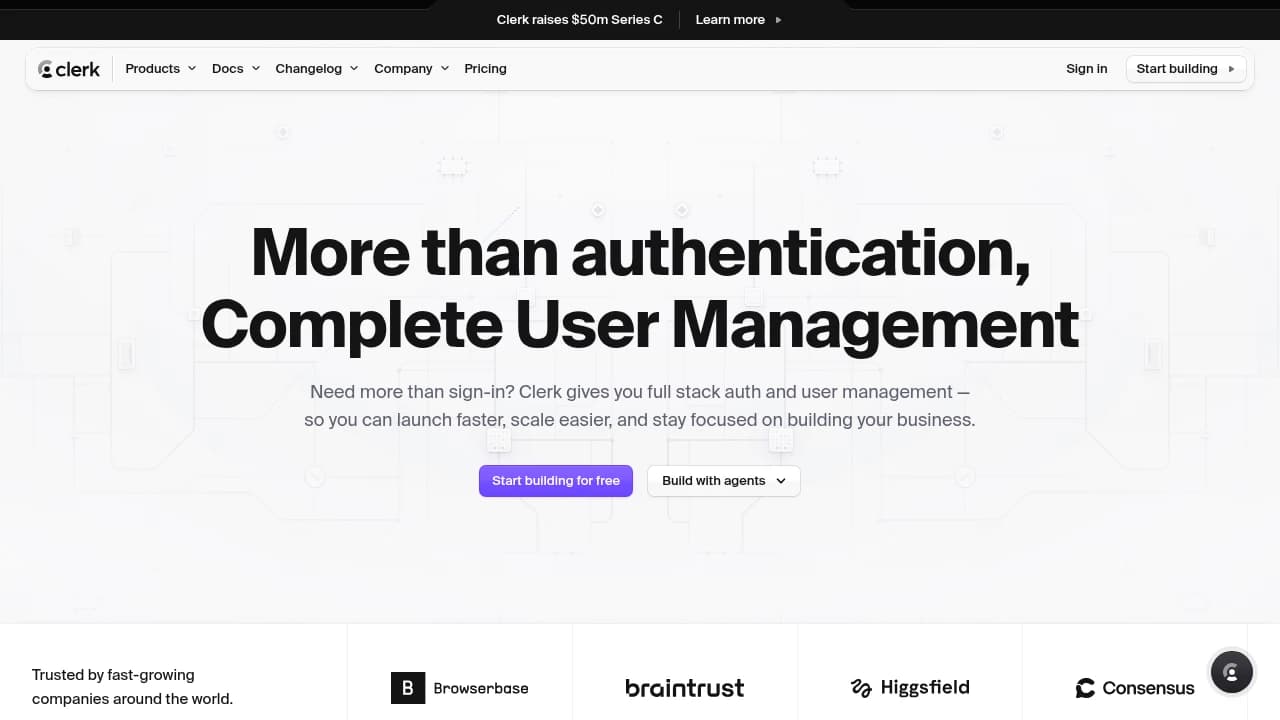
Clerk is a user management platform for developers building modern web and app products that need authentication, organization workflows, and account administration without assembling those pieces from scratch. It combines User Authentication, B2B Authentication, Billing, Session Management, Multifactor Authentication, SSO Support, and Application logs, and integrates with React, Next.js, Expo, Vercel, Supabase, Stripe, Google, GitHub, and Google Analytics. It is used by Supabase, Vercel, Stripe, Browserbase, and more than 10,000 developers across thousands of applications in over 50 countries. Plans run Hobby free, Pro $20/month billed annually, Business $250/month billed annually, and Enterprise custom.
Verdict. Clerk bundles authentication, B2B organization workflows, billing, MFA, and SSO into one developer platform, with pricing from a free Hobby tier to Pro at $20/month and Business at $250/month before custom Enterprise.
Reviewed byMathijs BronsdijkLast verifiedHow we evaluate
At a glance
- Clerk is best for product teams who need fast, secure authentication and organization management.
- Free; Pro $20/month; Business $250/month; Enterprise custom
- 14 days, no credit card
- Yes — Offers secure, production-ready API keys for user management.
Highlights
- Covers both consumer auth and B2B organization workflows in one platform.
- Supports React, Next.js, Expo, and backend SDKs for broad implementation coverage.
- Includes prebuilt UIs and APIs for sign-up, sign-in, profiles, and organization management.
- Offers compliance and enterprise controls such as SOC 2 Type II, SSO, and HIPAA availability.
- Ties billing, access control, and user management together for subscription products.
What does Clerk do?
Clerk is a user management platform for developers building modern web and app products that need authentication, organization workflows, and account administration without assembling those pieces from scratch. It helps startups and larger teams launch faster, support multi-tenant products, and keep user access flows consistent across applications and frameworks. Clerk combines User Authentication, B2B Authentication, Billing, Session Management, Magic Links, Social Sign-On, MFA, RBAC, SSO Support, and Application logs. It supports React, Next.js, and Expo, plus integrations with Vercel, Supabase, Stripe, Firebase, Google, GitHub, and Google Analytics. Clerk says it is used by over 10,000 developers, supports thousands of applications, and is used in over 50 countries. Customers and users highlighted on its site include Supabase, Vercel, Stripe, Browserbase, and Inngest. It also offers secure API keys for user management and a self-serve dashboard for managing users and organizations.
Who is Clerk for?
- Startup product teams who want to ship sign-in and user management without building auth from scratch.
- B2B SaaS engineers who need invitations, roles, and multi-tenant organization workflows.
- Platform developers who need authentication across React, Next.js, Expo, and backend SDKs.
- Security-conscious teams who need MFA, SSO, and compliance-ready user access controls.
- Growth teams who want billing-aware access control and subscription management tied to users.
What are Clerk's key features?
User Authentication
Provides sign-up, sign-in, and profile flows through APIs and prebuilt UIs, reducing the amount of custom auth code teams need to maintain.
B2B Authentication
Adds organization workflows for multi-tenant SaaS, including invitations, roles, permissions, and multiple organizations per user.
Billing
Connects subscriptions to user accounts with prebuilt pricing pages and customer self-service management, while keeping billing data tied to authorization.
Multifactor Authentication
Adds MFA for stronger account protection, helping teams secure sensitive apps without building second-factor flows themselves.
Session Management
Controls session lifetime and account access, including custom session settings and application logs for tracking authentication activity.
Security and Compliance
Supports SOC 2 Type II, regular third-party audits, 99.99% uptime SLA, and HIPAA compliance available on Enterprise.
SSO Support
Provides enterprise single sign-on for workspace access, useful for larger customers that need centralized identity management.
Analytics integration
Connects with Google Analytics and other integrations so teams can observe authentication and organization activity alongside product metrics.
How is Clerk used in practice?
Startup auth launch
Startup product teams use Clerk to add sign-up, sign-in, and profile flows quickly, using User Authentication and prebuilt UIs to get to launch without stitching together custom auth screens.
B2B org onboarding
B2B SaaS engineers use Clerk to onboard customers into organizations, using B2B Authentication and Role-Based Access Control (RBAC) to manage invitations, permissions, and multi-team access.
Subscription access control
Growth teams use Clerk to connect Billing with user accounts, using Automated Billing and billing-aware authorization to gate features by plan and keep subscription data unified.
How does Clerk work?
- Connect your application in Clerk and choose the SDK for your stack, such as React, Next.js, Expo, or a backend SDK, before wiring authentication into your project.
- Add Clerk components and APIs for sign-up, sign-in, and user profiles, then customize the UI components to match your product and field.
- Configure organization workflows in the dashboard with B2B Authentication, setting invitations, roles, permissions, and multi-tenant behavior for customer accounts.
- Enable security controls like Multifactor Authentication, Session Management, and SSO Support, then review Application logs to monitor access and account activity.
- Deploy the integration to your field, connect any needed integrations such as Vercel, Supabase, Stripe, or Google Analytics, and keep managing users from the Clerk dashboard.
How much does Clerk cost?
Hobby
Free- Up to 3 dashboard seats
- Unlimited applications
- 50,000 MRU limit per app
- Up to 5 user impersonations
- APIs and prebuilt UIs for authentication
- Custom field
- 7-day session lifetime
- Application Logs with 1-day retention
- Machine Authentication
Pro
$20/month, billed annually- Everything in Hobby
- Up to 3 dashboard seats
- 50,000 MRU per app
- 1 Enterprise connection included
- Remove Clerk branding
- Multi-factor authentication (MFA)
- Custom session lifetime
- Application Logs with 7-day retention
- Machine Authentication
Business
$250/month, billed annually- Everything in Pro
- 10 dashboard seats included
- SOC2 Report
- Enhanced dashboard roles
- Priority support
- Application Logs with 30-day retention
Enterprise
Custom- Everything in Business
- Annual committed use discounts
- 99.99% Uptime SLA
- Enterprise SSO
- Support SLA
- Application Logs with custom retention
- HIPAA compliance available
Frequently asked questions
What is Clerk used for?
Clerk is a user management platform for developers that combines authentication and account administration. It covers sign-up, sign-in, profiles, organizations, billing, and security controls so teams can ship user-facing products faster.
Does Clerk have a free plan?
Yes. Clerk offers a free Hobby plan, and its FAQ says the free plan supports up to 50,000 retained users per month and 100 organizations without a credit card. If you exceed free-tier limits, Clerk says you're automatically upgraded to a paid plan that fits your usage.
Is there a free trial?
Yes. Clerk lists a 14-day free trial in its extracted pricing data. The pricing page also shows a free Hobby plan, so teams can start without paying upfront.
Does Clerk have an API?
Yes. Clerk provides secure, production-ready API keys for user management, and its product pages describe APIs alongside prebuilt UIs for authentication flows.
Can I self-host Clerk?
Clerk's public pages here do not describe a self-hosted deployment option. The documented model is a hosted user management platform with SDKs, APIs, and a dashboard.
What frameworks does Clerk support?
Clerk says it supports popular frameworks like React, Next.js, and Expo. Its integrations docs also show a broad SDK catalog for web, mobile, and backend use cases.
Is Clerk secure and compliant?
Yes. Clerk says it follows best practices for data security, is SOC 2 Type II compliant, and undergoes regular third-party audits and tests. Enterprise also lists a 99.99% uptime SLA and HIPAA compliance available.
Can I export my user data?
Yes. Clerk says you can export user data directly from the dashboard at any time, which helps with migration, backups, and internal reporting.
Which integrations does Clerk support?
Clerk's integrations include Supabase, Vercel, GitHub, Google, Stripe, Convex, Slack, Okta, Google Workspace, Firebase, Prisma, Shopify, and Google Analytics. Its docs organize integrations by databases, platforms, frameworks, and analytics.
Editor's read
Check the MRU ceiling before rollout: Hobby and Pro both cap at 50,000 MRU per app, while Business adds more seats and Enterprise is custom. If your app is likely to exceed that usage, the jump happens before pricing becomes the only variable.

Similar to Clerk
 Your brand here