Notion
Summary
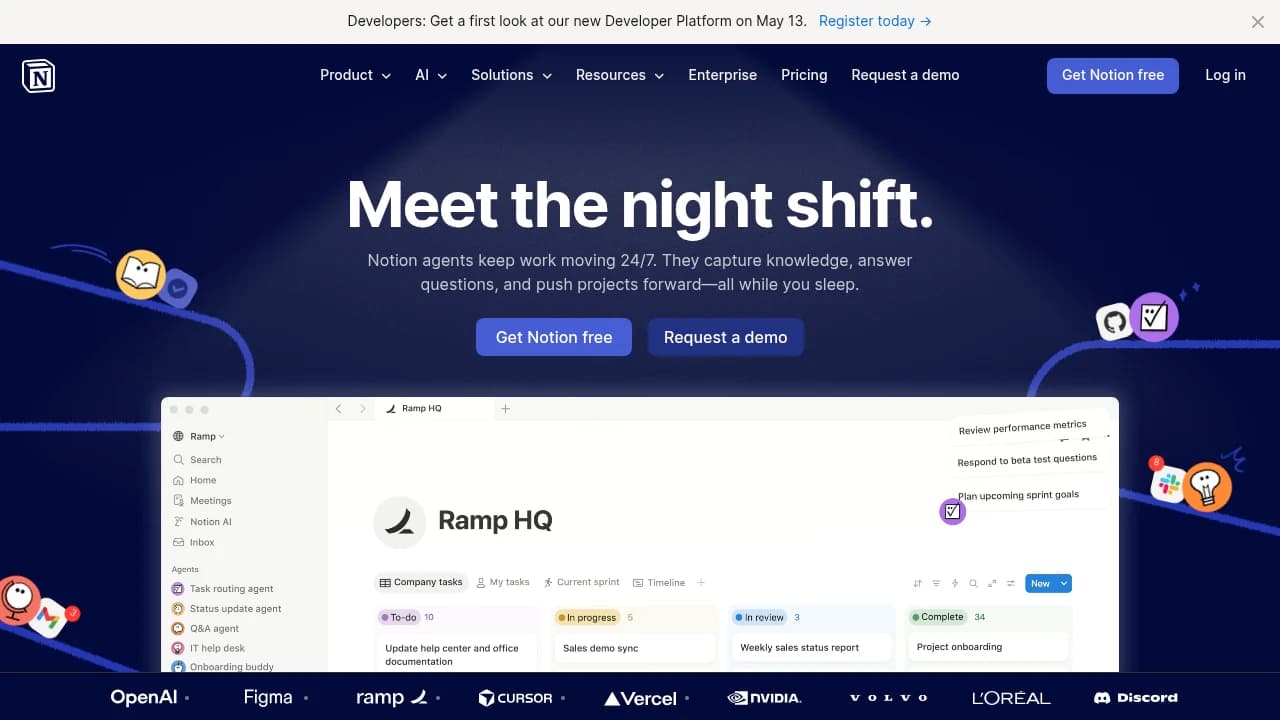
Notion is an all-in-one workspace for people and teams that want to write, plan, collaborate, and organize work in one place. It combines Project Management, Knowledge Base, Enterprise Search, AI Meeting Notes, Custom Forms, Custom Agents, and granular database permissions, plus integrations with Slack, GitHub, Zapier, Google Drive, Jira, Trello, Asana, Figma, Calendly, and Dropbox. Trusted by teams at OpenAI, Figma, Ramp, Vercel, and Discord, it also supports API customization and a developer platform. Plans run Free, Pro $8/month, Business $15/month, and Enterprise custom.
Verdict. Notion combines docs, project management, enterprise search, and AI Meeting Notes in one workspace, with Custom Agents and granular database permissions adding workflow control. Its Free, Pro at $8/month, Business at $15/month, and Enterprise custom tiers make it easy to start small and scale.
Reviewed byMathijs BronsdijkLast verifiedHow we evaluate
At a glance
- Notion is best for cross-functional teams who want one workspace for docs, tasks, and AI-assisted knowledge sharing.
- Free; Pro $8/month; Business $15/month; Enterprise custom
- Yes — Yes, Notion offers an API for integrating and customizing workspace functionality, with developers directed to notion.dev.
Highlights
- Combines docs, tasks, databases, calendars, and AI in one workspace instead of splitting work across separate tools.
- Offers a developer platform and API for teams that want to customize workflows and connect external systems.
- Supports web, iOS, Android, macOS, and Windows, so teams can work across devices.
- Includes granular permissions and security positioning for organizations that need tighter control over shared information.
- Backed by a large customer base, including OpenAI, Figma, Ramp, Vercel, and Discord.
What does Notion do?
Notion is an all-in-one workspace for people and teams that want to write, plan, collaborate, and organize work in one place. It combines notes, tasks, databases, calendars, and AI tools so product, operations, and knowledge-heavy teams can replace scattered docs and disconnected apps with a single system. Its core capabilities include Docs, Projects, Knowledge Base, Enterprise Search, AI Meeting Notes, Custom Forms, and Connections, plus agents and API support for customization. Customers and users include OpenAI, Figma, Ramp, Vercel, and Discord. The platform also offers mobile apps for iOS and Android, desktop apps for Mac and Windows, and a developer platform for integrating and customizing workspace functionality.
Who is Notion for?
- Product teams who need docs, tasks, and project views in one shared workspace.
- Operations teams who want databases, forms, and calendars to keep work organized.
- Knowledge managers who need a central wiki and fast enterprise search.
- Founders who want one system for planning, collaboration, and team visibility.
- IT and admin teams who need permissions, security, and app connections.
What are Notion's key features?
Custom Agents
Build agents that automate repetitive workspace tasks and actions, reducing manual follow-up across pages, databases, and connected tools.
AI Meeting Notes
Turn meetings into written notes automatically, so teams can capture decisions and action items without manual transcription.
Enterprise Search
Search across workspace content to find answers quickly in docs, databases, and knowledge bases, which cuts time spent hunting for information.
Knowledge Base
Centralize internal documentation in a wiki-style workspace, making onboarding, policies, and team knowledge easier to maintain and search.
Project Management
Organize work with tasks, dependencies, and multiple views such as kanban, calendar, and Gantt for clearer execution tracking.
Integration Capabilities
Connect tools like Slack, GitHub, Zapier, Google Drive, Trello, Asana, Figma, Calendly, Jira, and Dropbox to keep work synced.
Custom Forms
Collect structured requests and submissions in Notion pages, then route them into databases for intake, triage, and reporting.
Granular database permissions
Control access at the database level so teams can share sensitive records selectively while keeping broader workspace collaboration intact.
How is Notion used in practice?
Product team planning
Product teams use Notion to map launches, track dependencies, and keep specs current in one workspace. They rely on Gantt, kanban board & calendar views and Manage tasks & projects to coordinate timelines and status without switching tools.
Knowledge base setup
Knowledge managers use Notion to centralize policies, onboarding docs, and internal answers. With Build a wiki / internal knowledge base and Enterprise Search, they make information easier to find and reduce repeated questions across the company.
Ops workflow automation
Operations teams use Notion to collect requests, route work, and keep records tidy. They combine Custom Forms with Database Management to standardize intake, then organize submissions into databases that support reporting and follow-up.
How does Notion work?
- Create your first workspace, then add pages, databases, and templates to shape the structure around your team's projects and documents.
- Set up project boards and task lists with Manage tasks & projects, using kanban, calendar, and Gantt views to track work.
- Invite teammates and assign permissions with customizable controls, so editors, viewers, and admins can collaborate without exposing everything.
- Connect Slack, Google Drive, GitHub, or other apps through Connections and API integrations to keep information flowing into Notion.
- Add Notion AI, AI Meeting Notes, or Custom Agents to automate summaries, search, and repetitive work as your workspace grows.
How much does Notion cost?
Free
Free- Basic access to all features
- Limited storage
- Community support
Pro
$8/month- Unlimited integrations
- Increased storage
- Features
Business
$15/month- Team collaboration tools
- Permissions
- Priority support
Enterprise
Custom- Custom solutions
- Enhanced security
- Dedicated support team
Frequently asked questions
What is Notion used for?
Notion is an all-in-one workspace for writing, planning, collaborating, and organizing tasks and projects. It combines notes, tasks, databases, and calendars, so teams can keep work and knowledge in one place instead of scattering it across separate apps.
Does Notion have a free plan?
Yes. Notion offers a Free plan, and its pricing page says it includes basic access to all features with limited storage and community support. The vendor FAQ also says you can explore the product for free.
What platforms does Notion support?
Notion is available on web, iOS, Android, macOS, and Windows. The footer also links to iOS & Android and Mac & Windows downloads, so teams can use it across desktop and mobile devices.
Does Notion have an API?
Yes. Notion has an API, and the vendor says it lets developers integrate and customize functionality within the workspace. The site also points developers to notion.dev for the developer platform.
Can Notion connect with other tools?
Yes. Notion supports integrations and Connections with tools such as Slack, Google Drive, GitHub, Zapier, Trello, Asana, Figma, Calendly, Jira, and Dropbox. The Pro plan also lists unlimited integrations.
How secure is Notion?
Notion says it follows security standards including GDPR and SOC 2 Type II. Its security page also describes the product as safe and scalable, and the Enterprise tier adds enhanced security and dedicated support.
How does Notion AI handle my data?
Notion says it keeps data encrypted and private under its standard data protection practices. It also says Notion AI will not use your data to train its models unless you opt in.
Can teams use Notion for collaboration?
Yes. Notion is built for team collaboration with shared pages, databases, permissions, and collaboration tools. The Business plan adds team collaboration tools and advanced permissions for larger groups.
Editor's read
Check whether the Free plan's limited storage and the Pro plan's unlimited integrations are enough for your workflow. If you expect heavier collaboration or tighter access control, verify whether Business's advanced permissions are the point where your setup needs to move up.

Similar to Notion
 Your brand here